
4.1 The Setup Panel
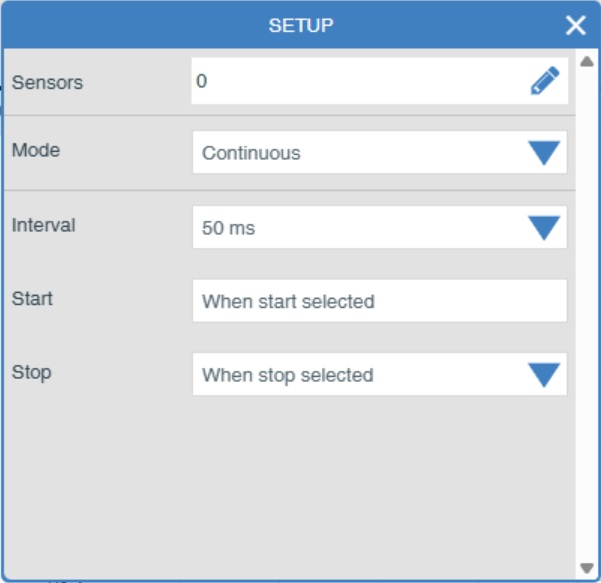
Common elements in the SETUP panel:
The panel will alter depending on the mode. The common elements are Sensors, Mode, Start and Stop. The panel will alter depending on the Mode.
Sensors: Select the edit symbol. This will take you to Devices screen where you may alter which sensors are to be used, which devices are active and the ranges that they use (see section above).
Mode: What type of experimental mode do you need? Three are available, Continuous, Snapshot and Timing (see below).
Start: How do you want to start off experimentation?
Stop: How do you want to stop experimentation?