
5.3.3 Axis Scaling
Normally the full scale of a sensor is displayed on an axis e.g. the scale for a Temperature Sensor will show a minimum of - 30˚C to a maximum of 110˚C. If the scale of an axis is too large the axis can be scaled using the values of the data collected.
1. Tap or click on the Y-axis label.
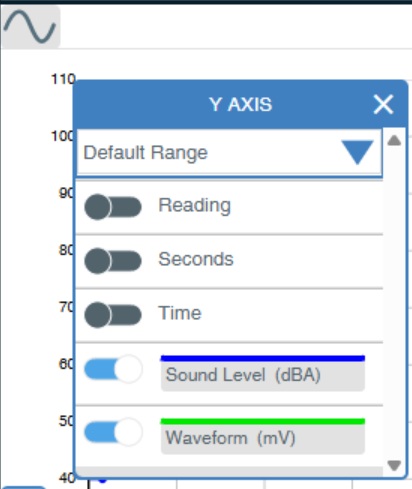
2. Scroll down to the appropriate sensor.
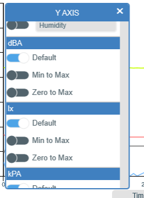
3. Choose between:
Default: The original scale of the sensor.
Min to Max: Re-scale to the maximum and minimum limits of the recorded data.
Zero to Max: Re-scale using a minimum of zero to the maximum of the recorded data.